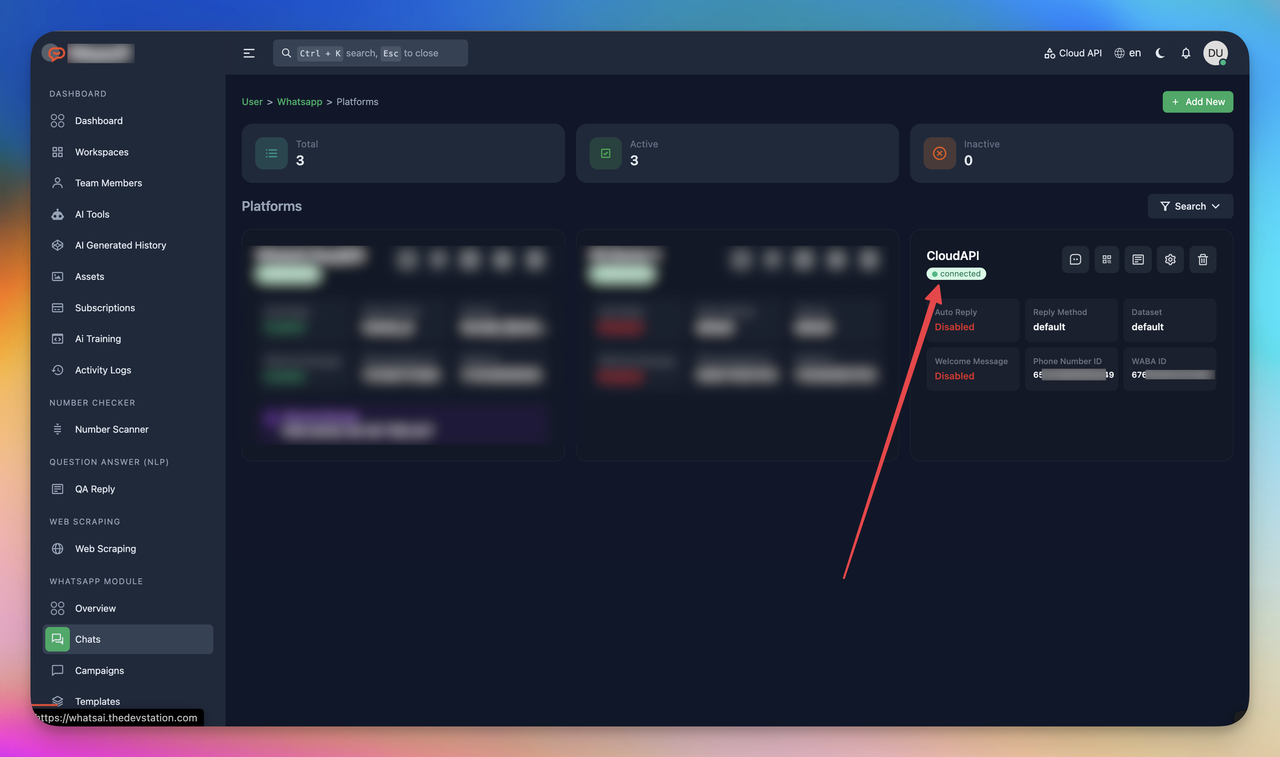
Whatsapp Cloud API Devices
Open your browser & go to https://your-domain/user/whatsapp/devices
Or click to Devices from Whatsapp Module option from sidebar
Devices List
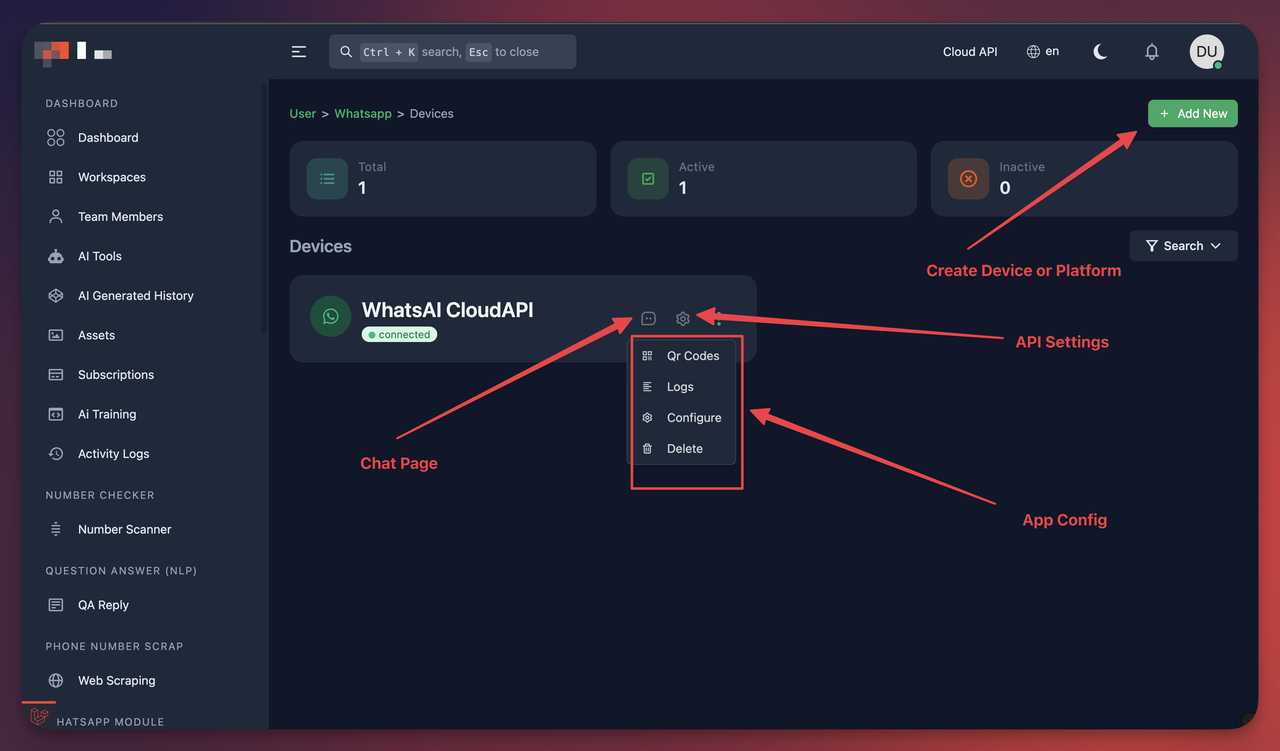
Create Device
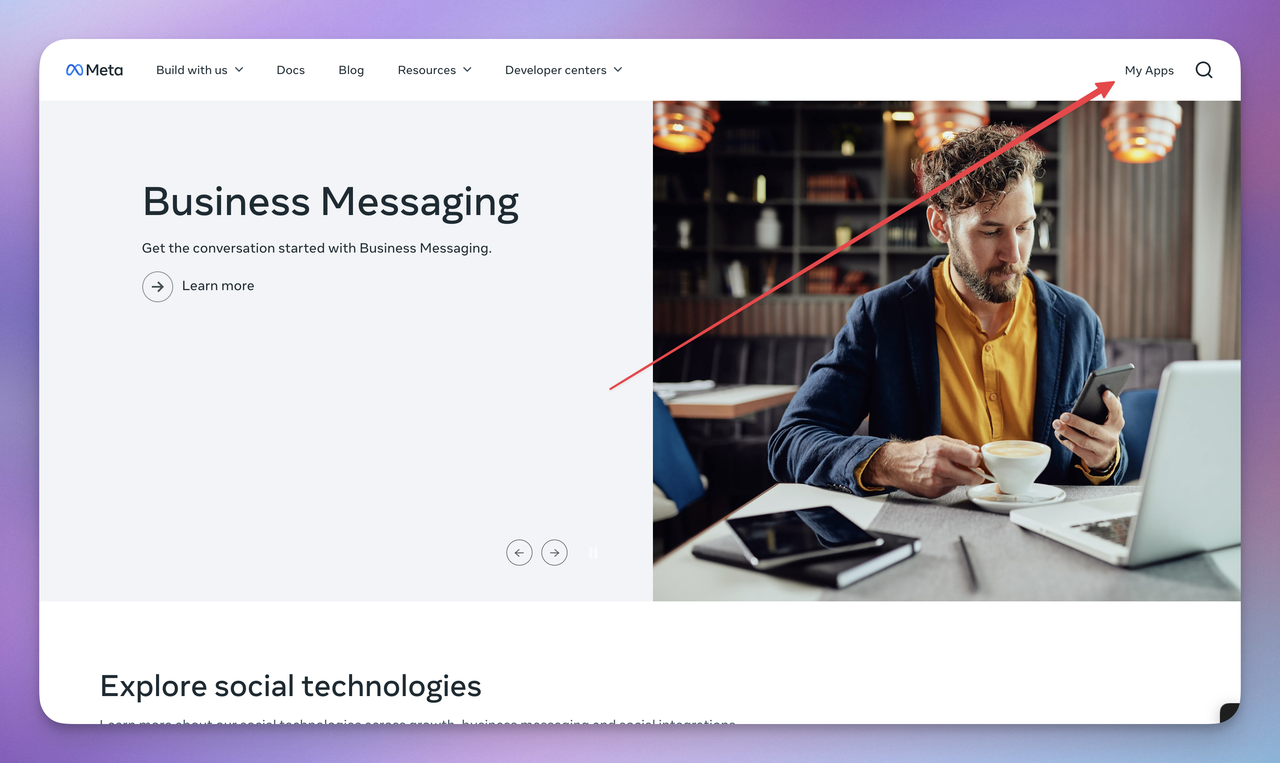
Go to https://developers.facebook.com/ and click My Apps
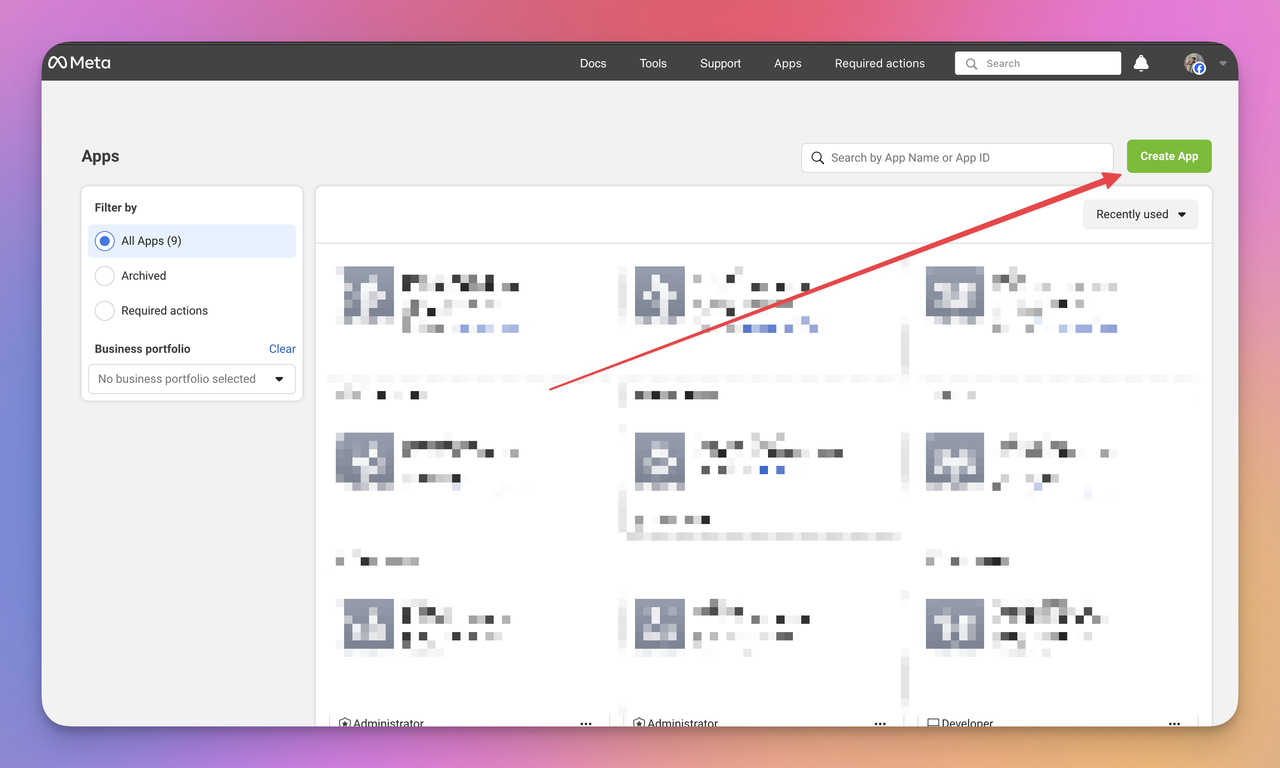
Create App
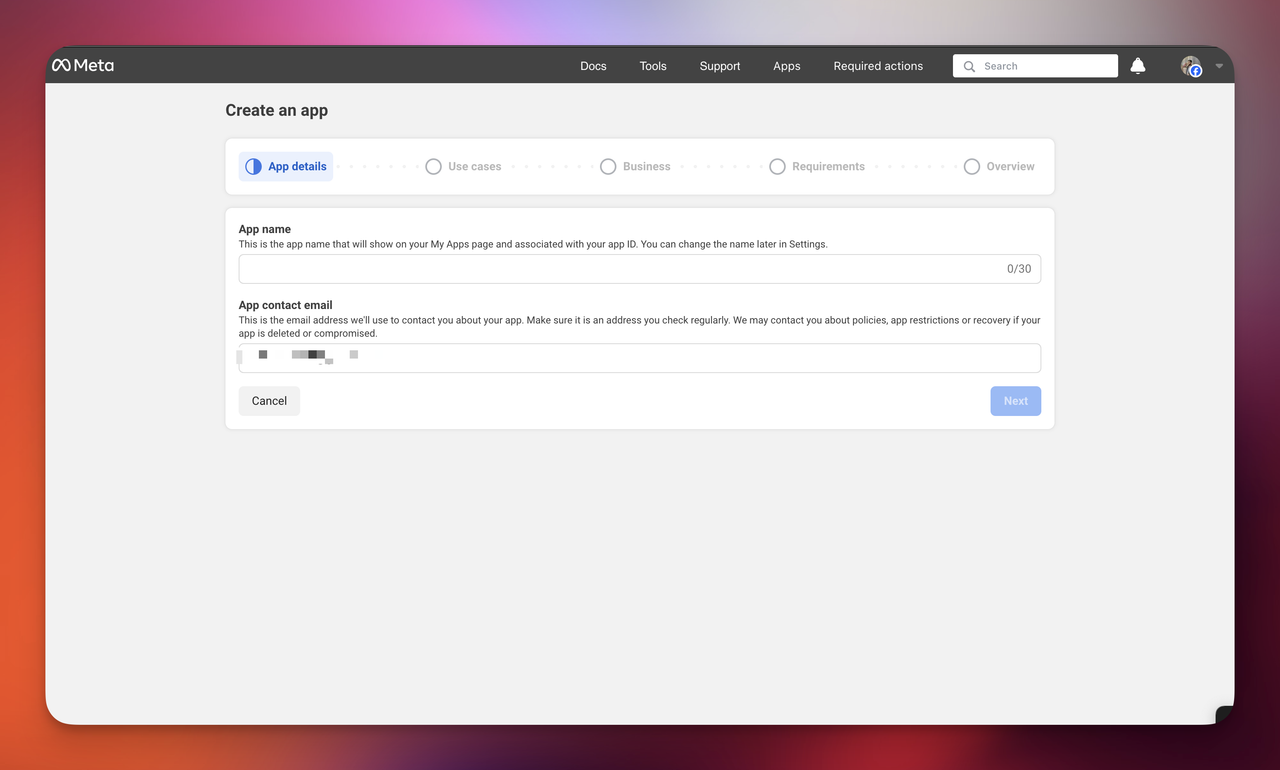
Click This Tab and click next
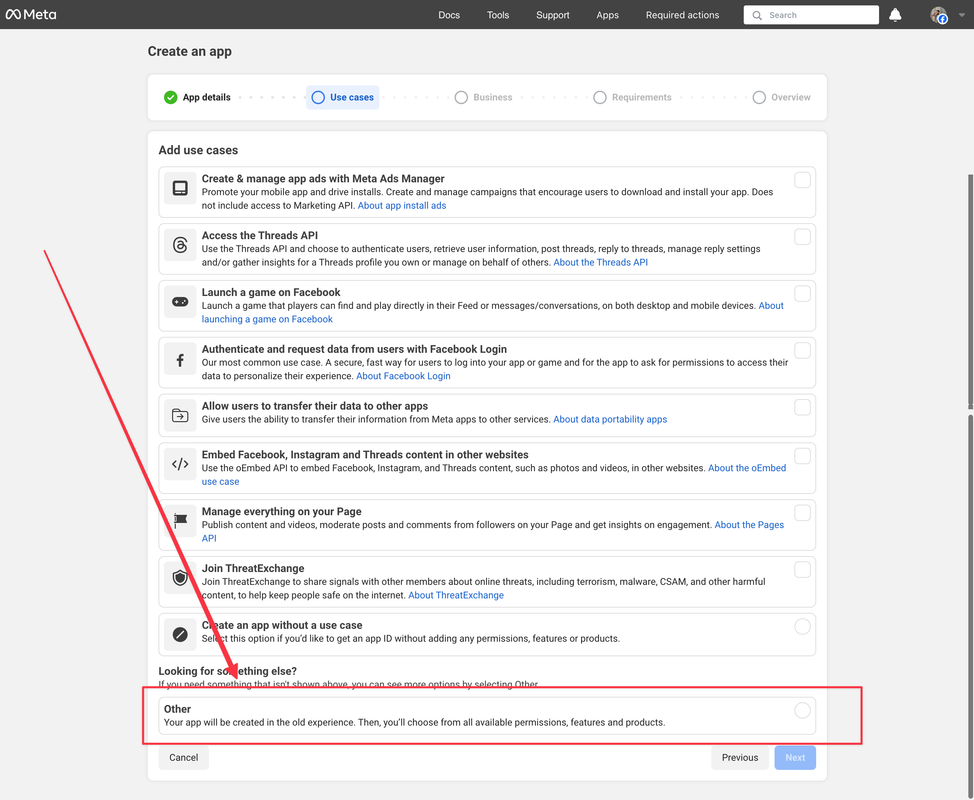
Click This Tab and click next
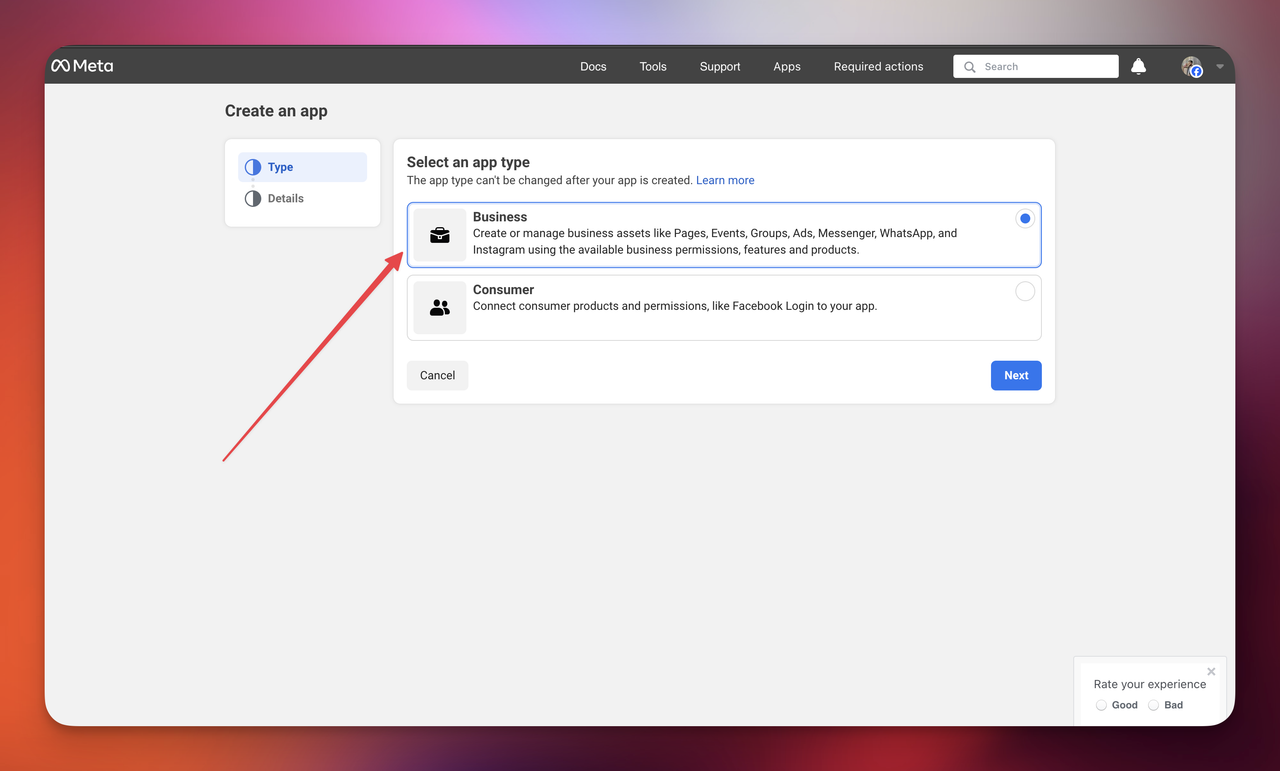
Click This Tab and click next
Enter The Details and click Create App button
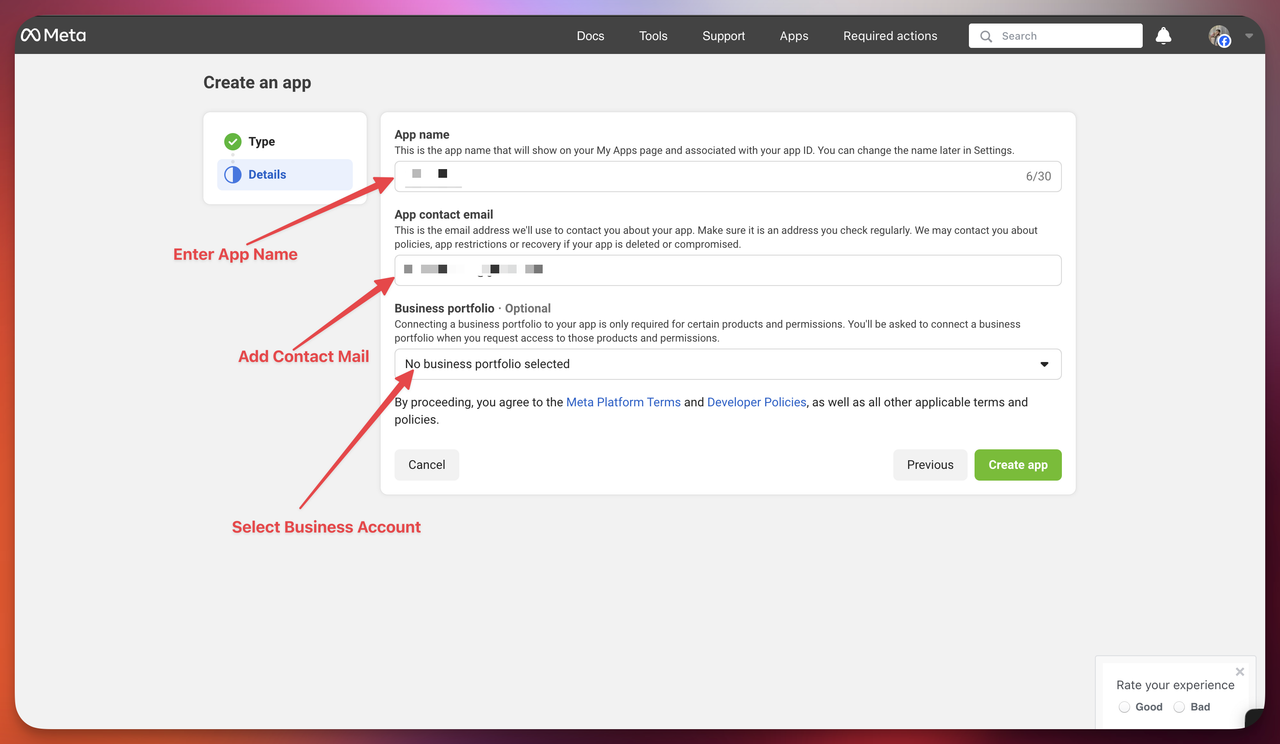
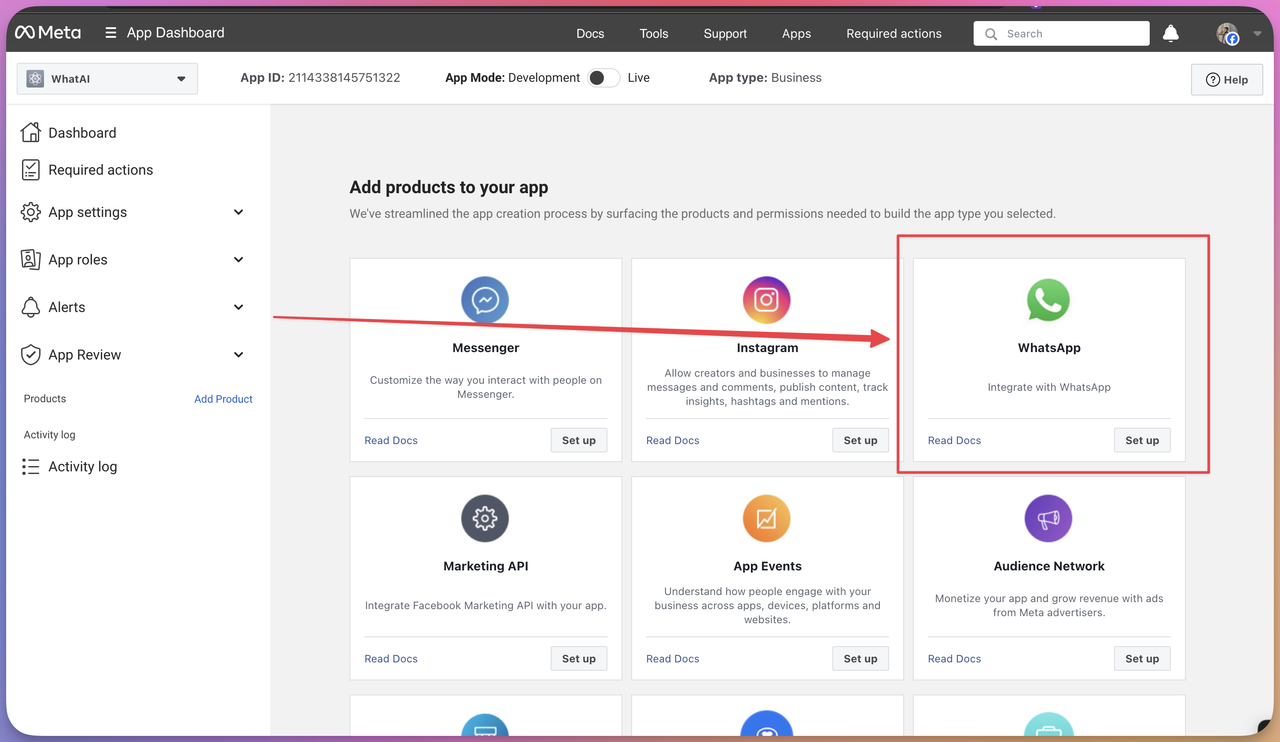
Click Set Up button from the Whatsapp Card
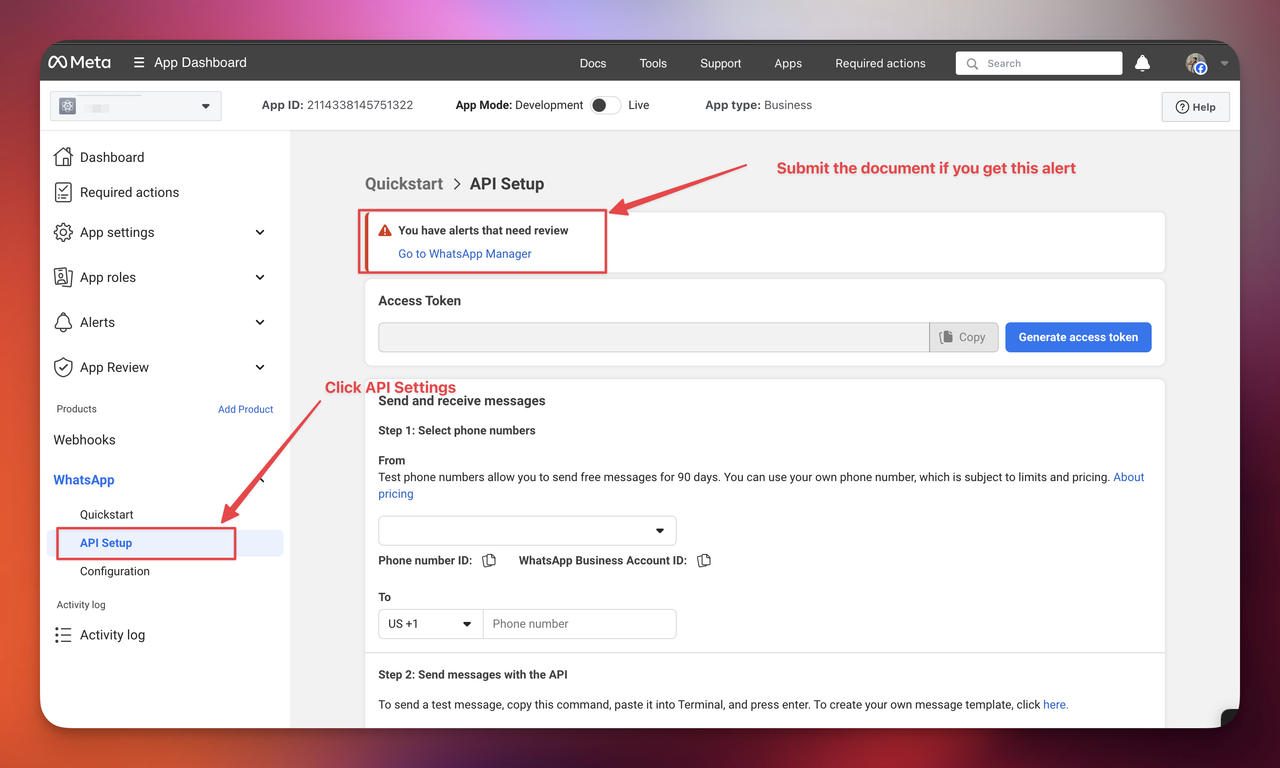
Click API Settings
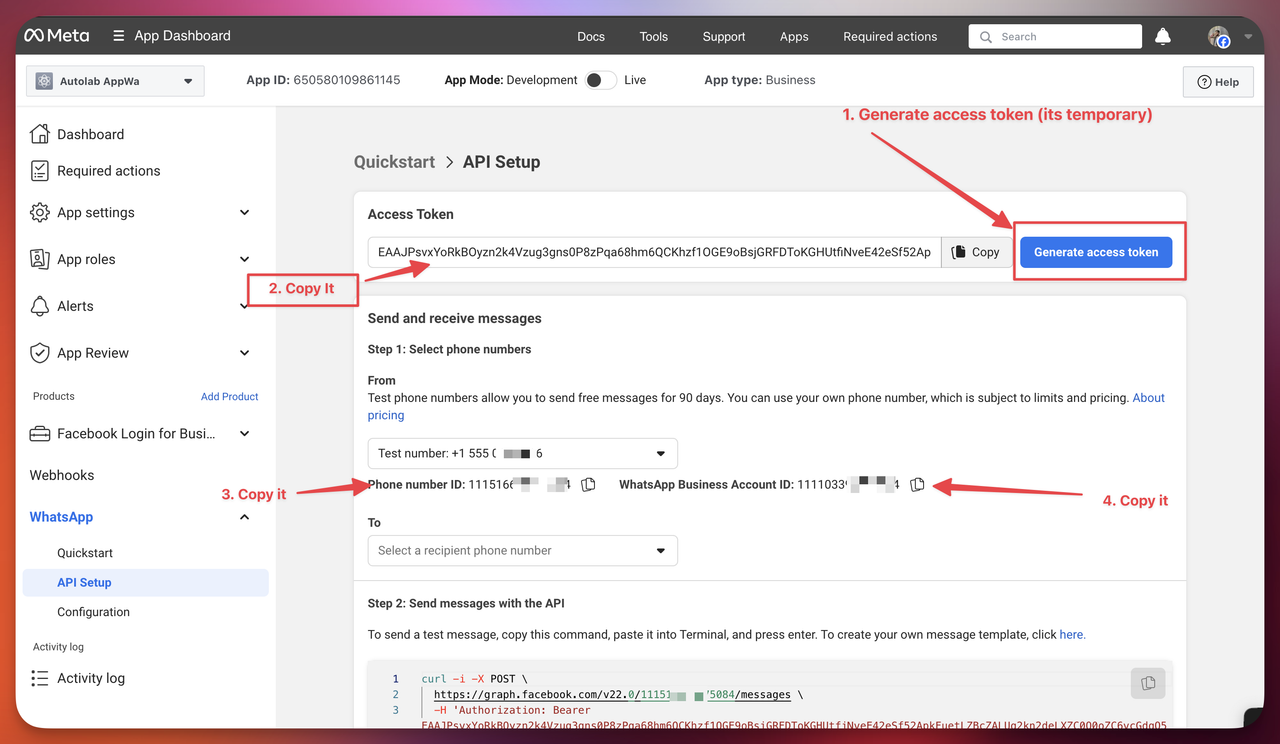
Generate Token and Copy the Keys
Add Platform Name
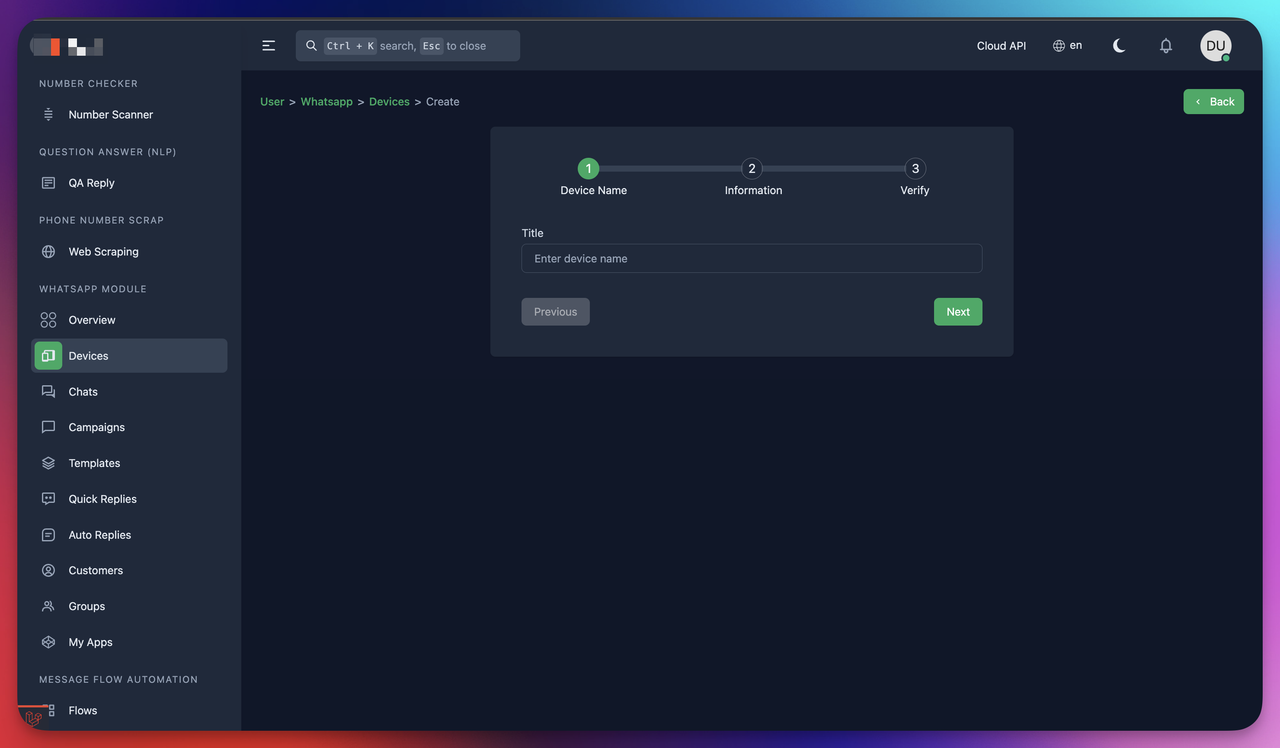
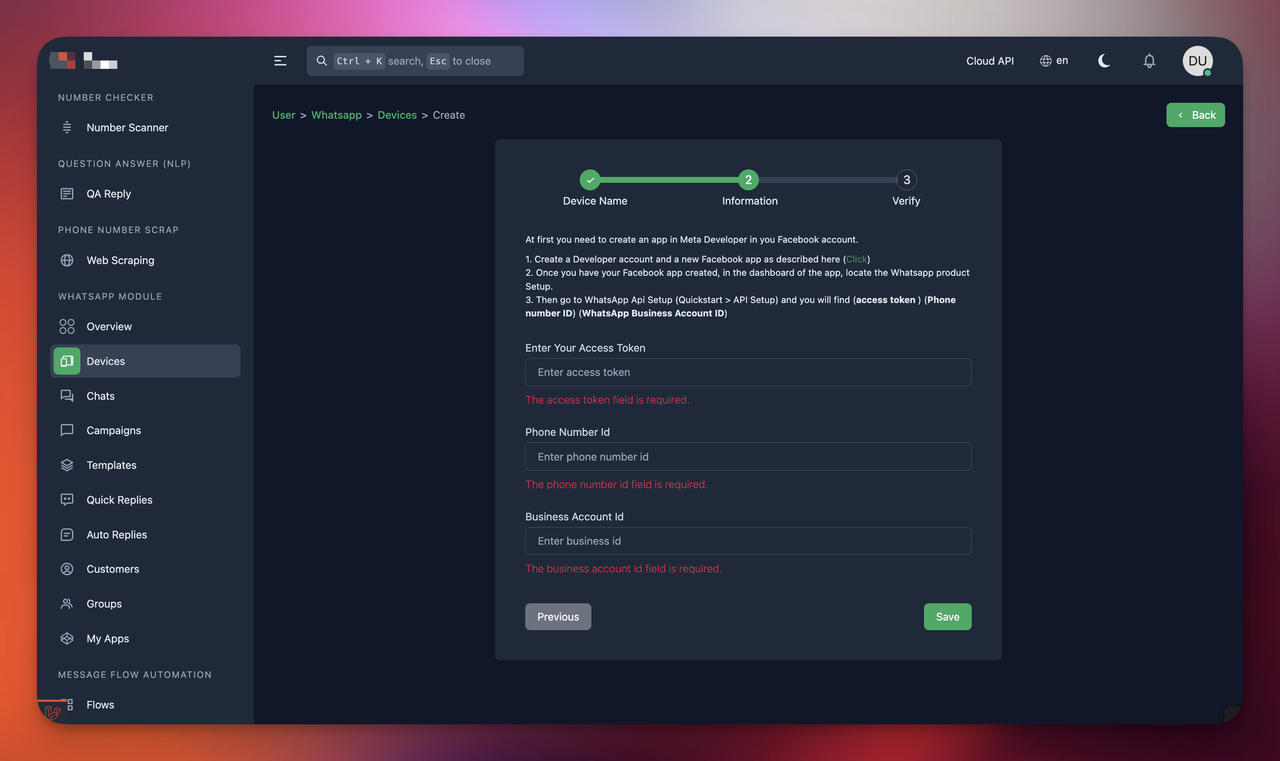
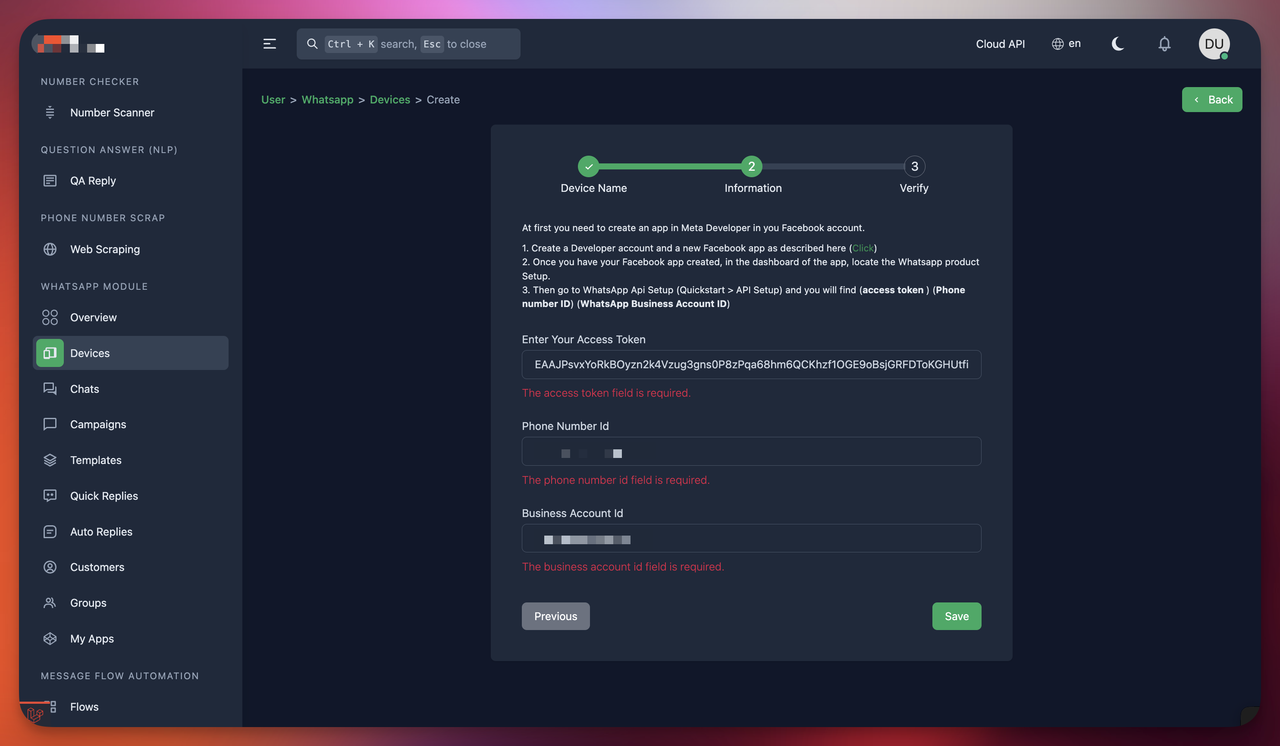
Paste the Copied API Token and keys
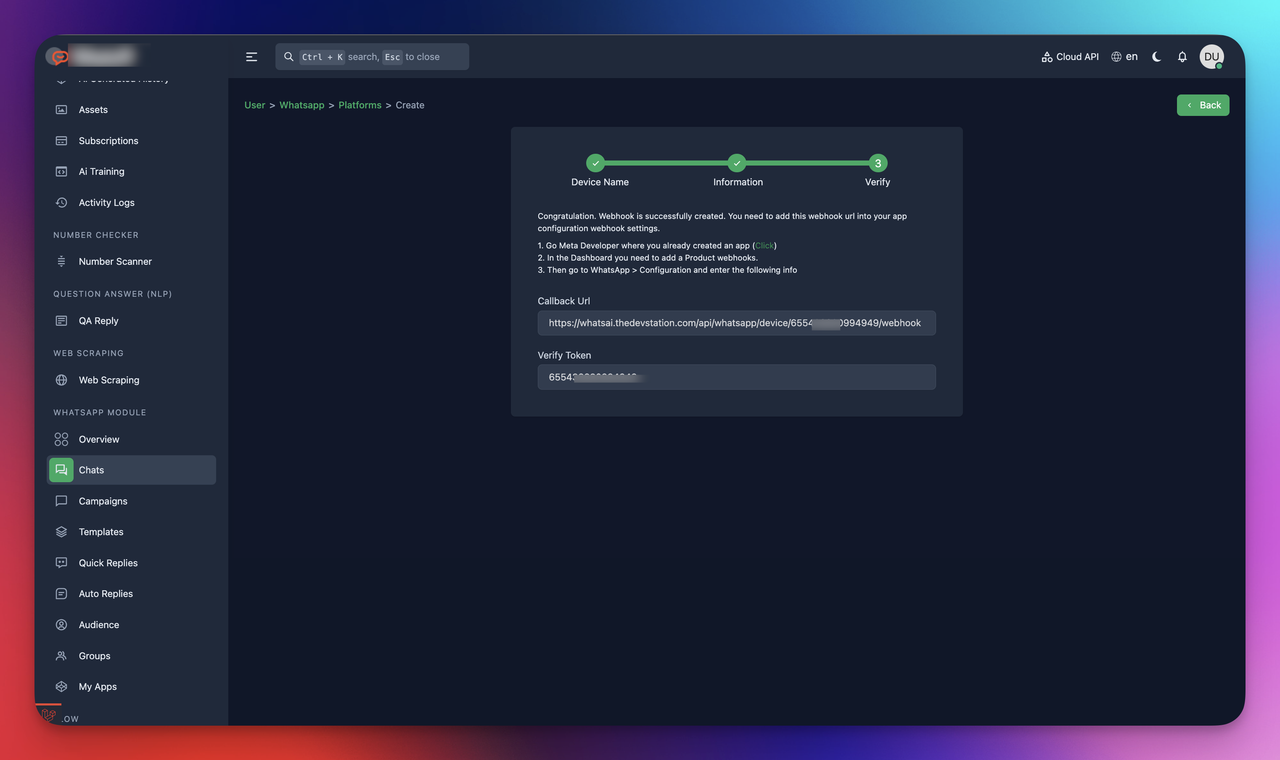
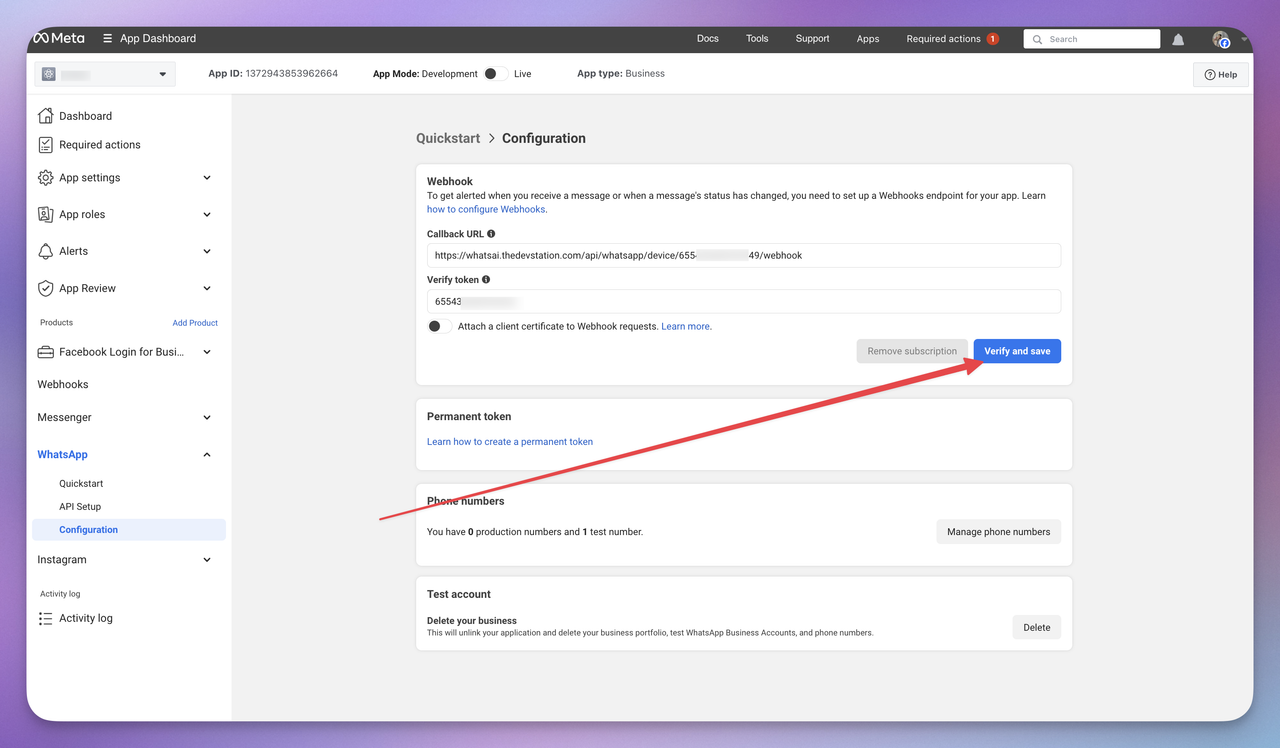
Copy the webhook url and verify token
Click to Whatsapp > Configuration
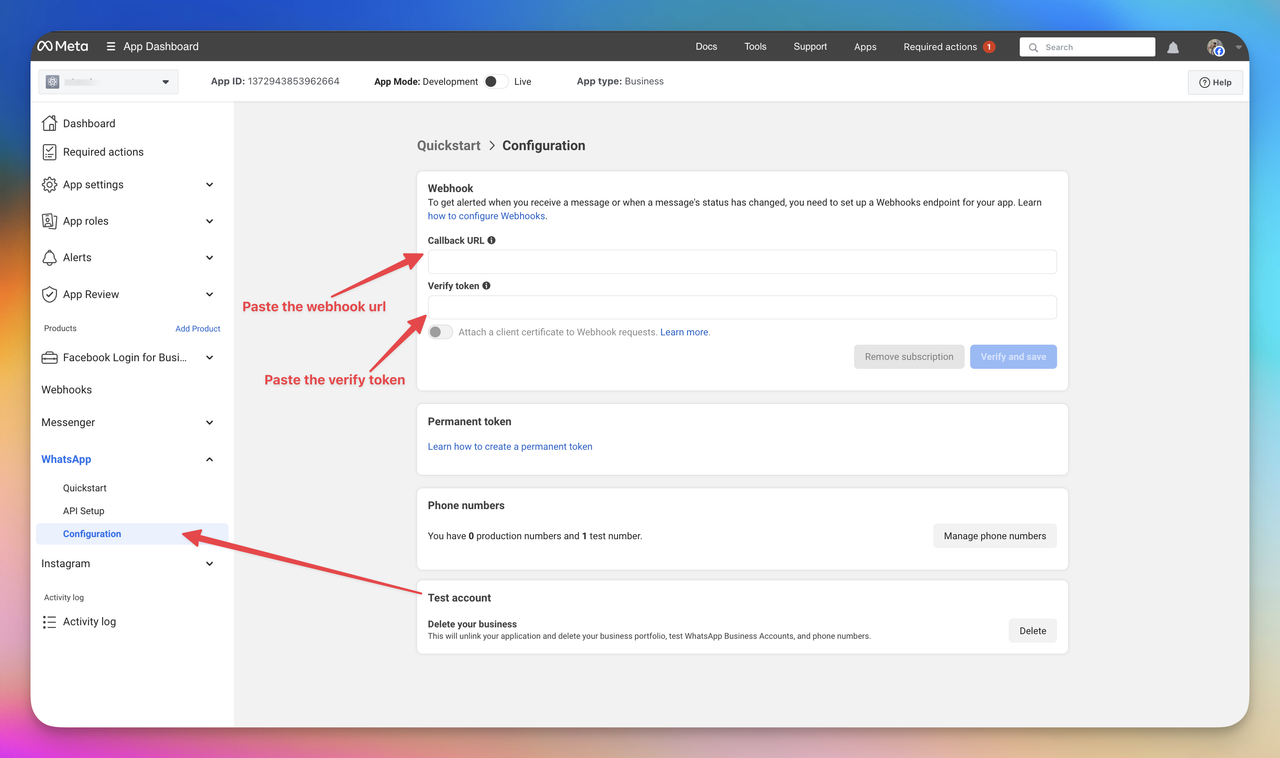
Click the verify and save button
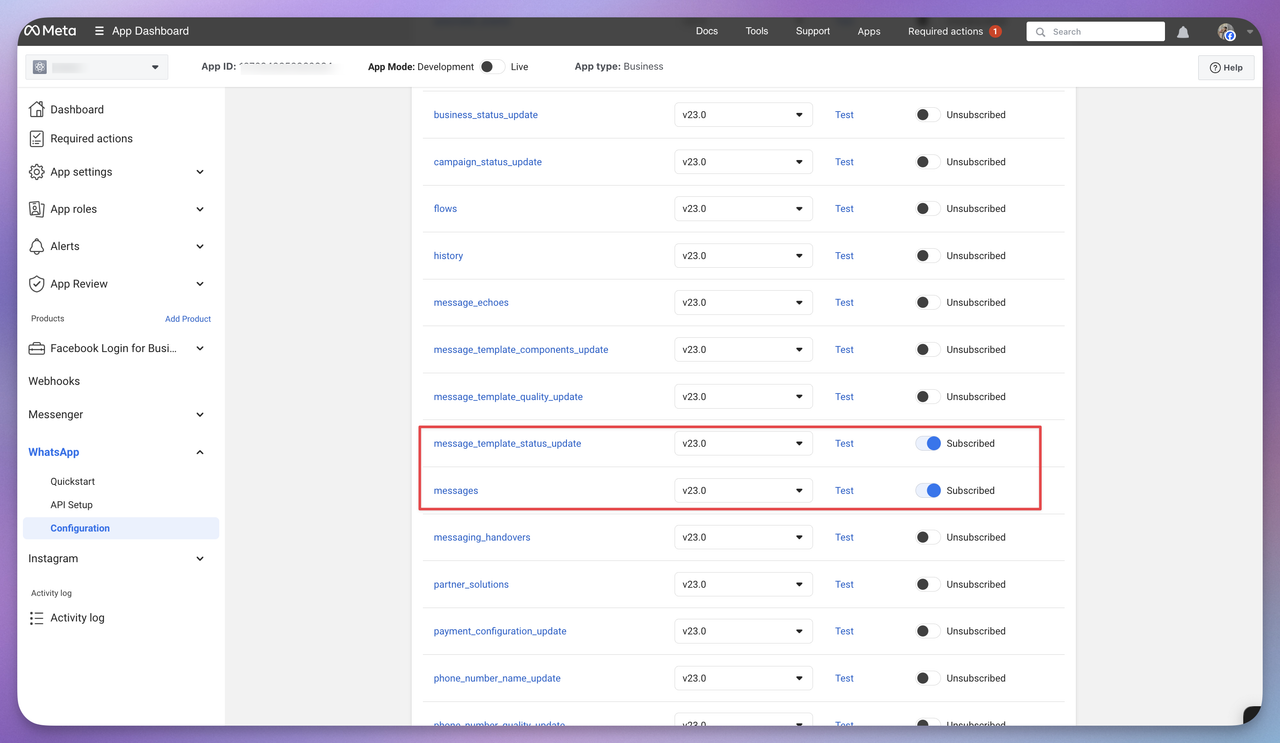
make subscribe (messages, message_template_status_update) like the screenshot
after successfully its complete then you can see connected badge in the platform list page